Please make the payment in Japanese Yen (JPY). Payments in foreign currencies may incur additional fees, and we are unable to inform you of the exact amount in advance.
Wise has updated their system, and it’s no longer possible to search for our email address manually. Instead, you’ll now need to use the Quick Pay feature.
Visit this secure payment link:
https://wise.com/pay/business/zengroupinc
If it was your first time signing up, you will have to fill out your personal details.
Then, enter your 8-digit identification code — provided on the “Add Funds” page — in the description field.
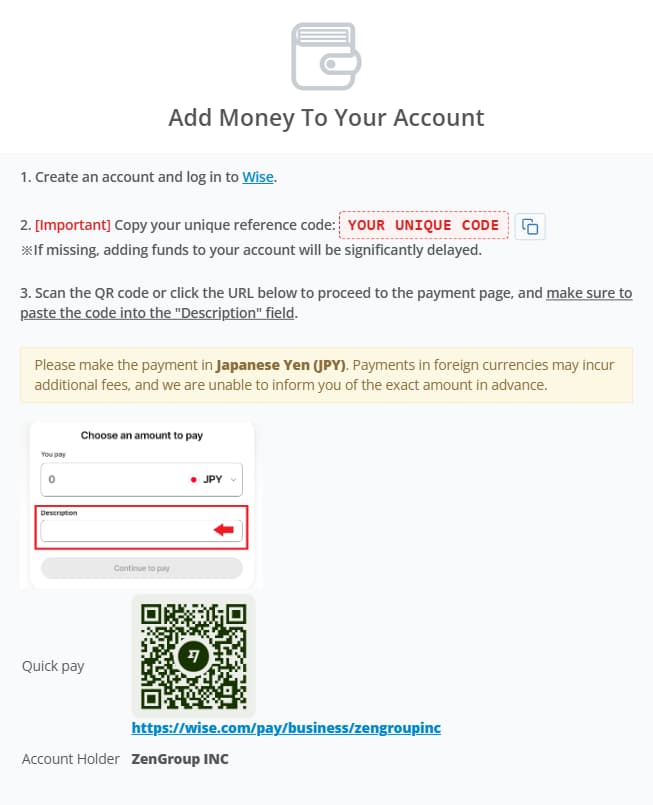
Important: Your reference code is essential for your payment to be automatically matched to your ZenMarket account. Everyone receives a unique reference code, so make sure to enter the code exactly as shown.
To make this easier, you can now copy your reference code with one click from the Add Funds page and paste it into the description field in Wise.
When the reference code is entered correctly, your funds will usually appear in your ZenMarket account almost instantly. Do not add anything else to the description — no spaces, extra words, or symbols.
If you forget to enter your reference code or enter it incorrectly, the payment cannot be automatically matched to your account. In this case, our support or accounting team will need to manually search for the transaction and add the funds to your account, which may cause a delay.
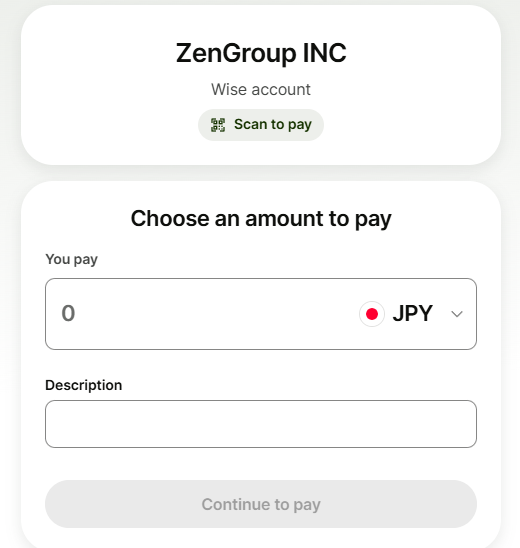
Click the image to enlarge