Do you want to buy products from Japanese online stores, but they only ship within Japan?
Whether you are looking for fashion or anime goods, ZenMarket helps you purchase from these stores, consolidates your items from different shops into one package, and ships them directly to your doorstep. Explore authentic, high-quality Japanese goods through our Recommended Stores!
What is ZenMarket?
ZenMarket is a proxy shopping service that enables you to buy from Japanese stores that do not ship overseas.
Get Japanese Goods in 5 Easy Steps
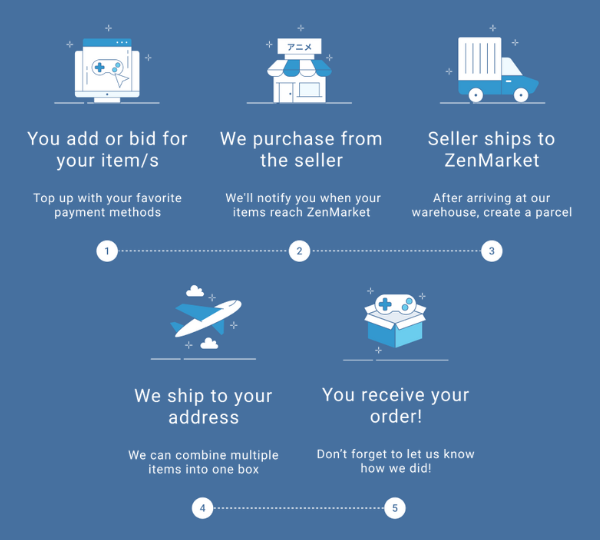
For a full guide on how to use ZenMarket see our latest ZenMarket tutorial blog article.
What are Recommended Stores?
Our Recommended Stores are a curated selection of the best Japanese online retailers offering authentic, high-quality products. You can discover a wide range of unique items, including fashion, music, anime, hobby goods, and more!
🔍How to find Recommended Stores?
Select the "RECOMMENDED" tab on the top menu and click "SEE MORE." You will find various non-integrated stores organized by category.
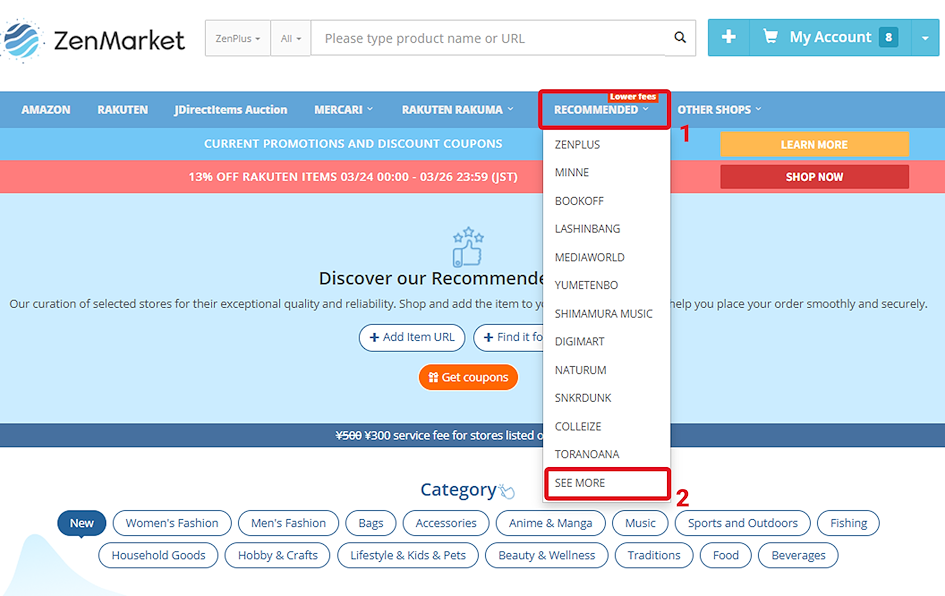
The stores on this page are our recommended stores. These stores allow you to shop directly on their websites using ZenMarket's integrated "Add to Cart" function. Simply click the category buttons to browse specific shops.
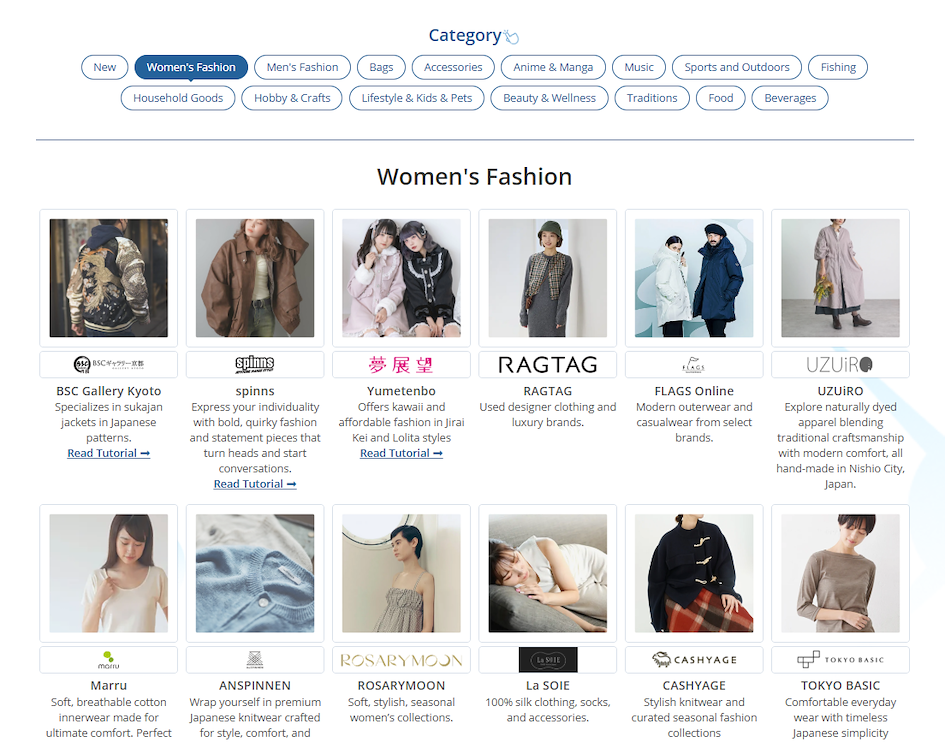
Browse Our Recommended Stores
How to Buy from Recommended Stores with ZenMarket
Purchasing from our Recommended Stores is a seamless process. Here is your step-by-step guide:
🔔Step 1: Create Your ZenMarket Account
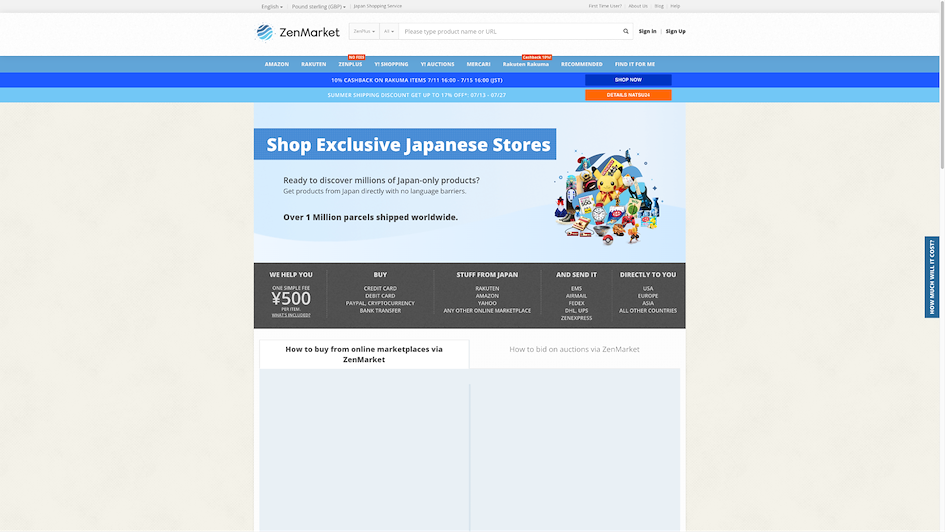
- Visit ZenMarket: Go to ZenMarket and sign up for a free account.You can register using your email, Google, Facebook, or Alipay.
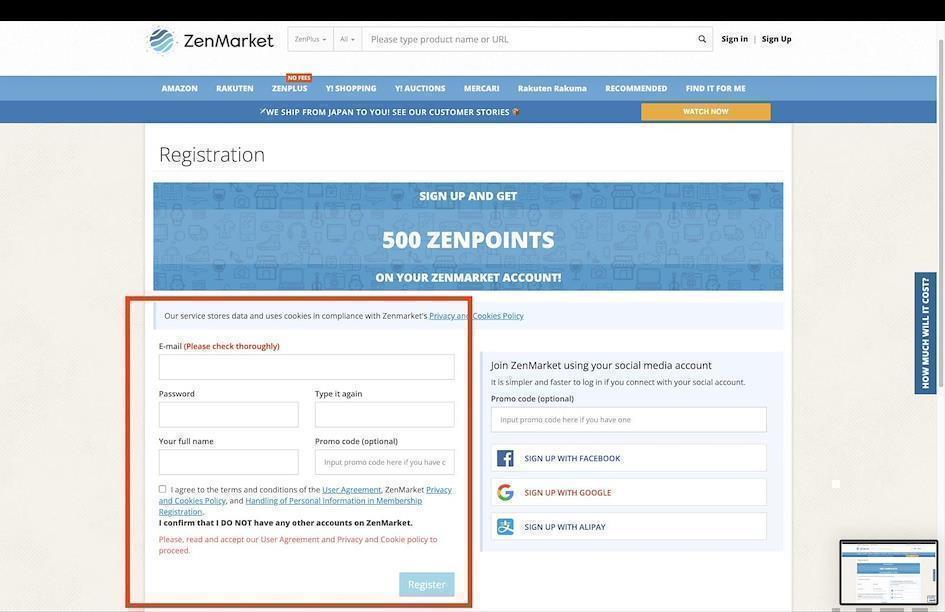
- Verification: Verify your email address to activate your ZenMarket account.
🛒Step 2: Add Products from any of our Recommended shops to Your ZenMarket Shopping Cart
When browsing a product on a recommended Japanese site, look for the ZenMarket banner (usually near the bottom of the page) and simply click the "Add to Cart" button.
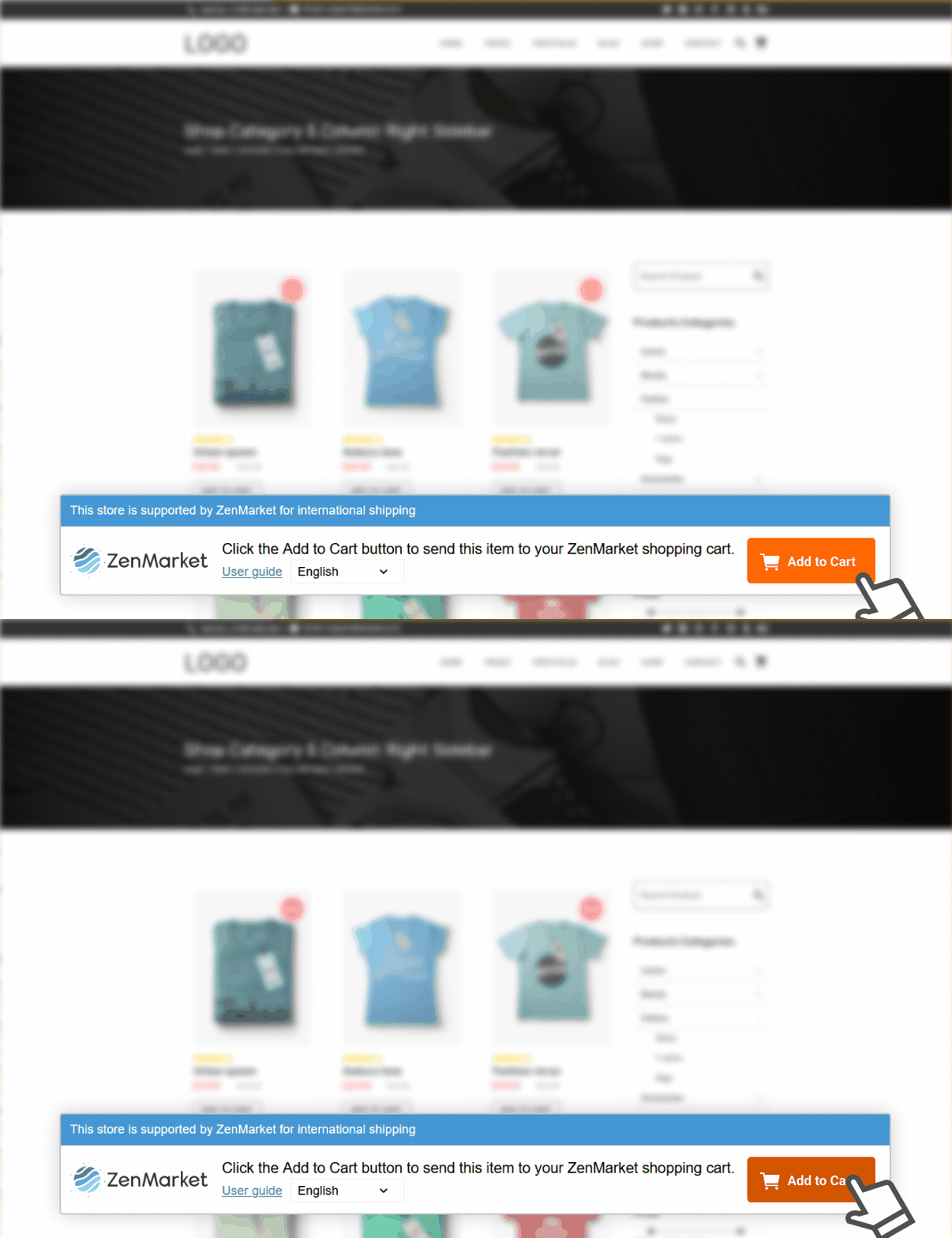
The item will be automatically added to your ZenMarket cart.
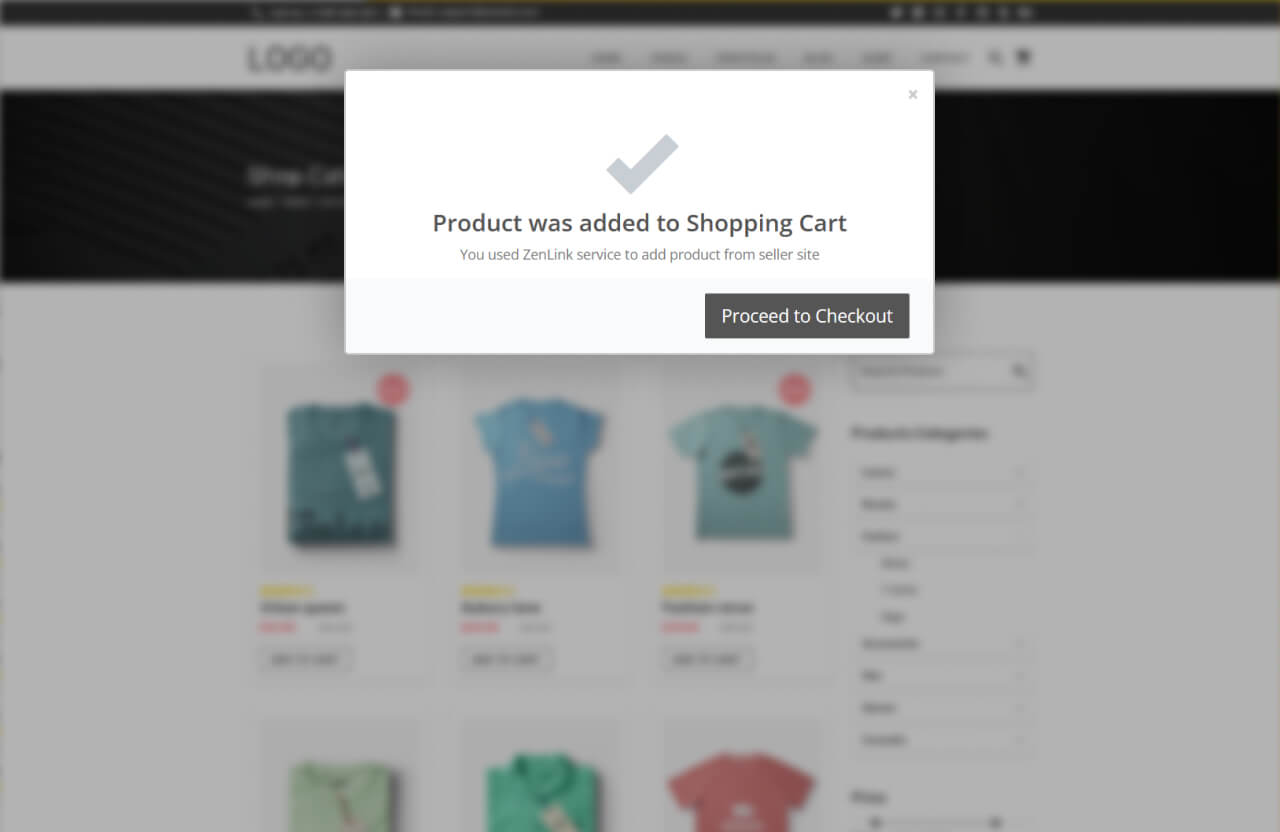
Example:
-
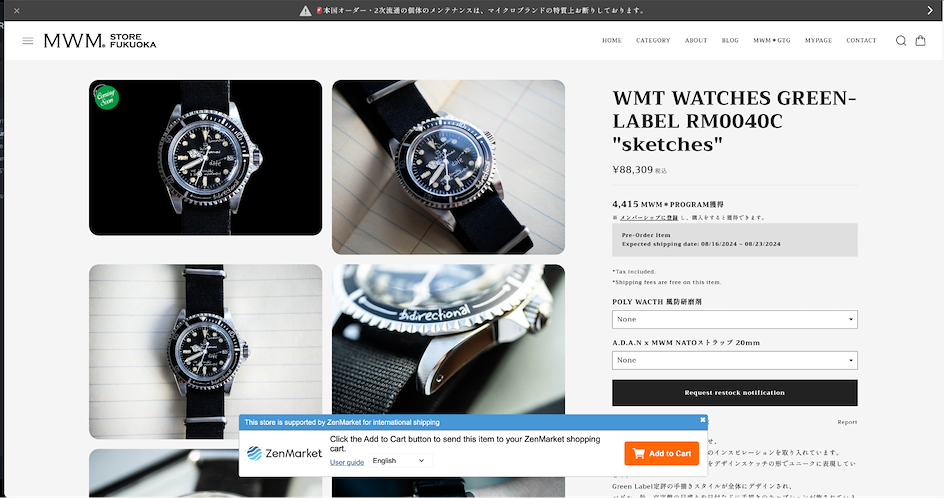
Visit recommended stores, such as MWM-Fukuoka.
-
Browse the collection and find an item you like.
-
Click the “Add to Cart” button on the ZenMarket banner to add it to your account instantly.
⏳ Step 3: Wait for ZenMarket Team to Review and Quote the Price
-
Review: The ZenMarket team will check your item and provide a quote within 24 hours. This includes the product price, domestic shipping (if any), and the service fee.
-
Confirm Details: Once the quotation is confirmed, you will receive an email notification. You will be notified by email so remember to check the newsletter updates options in your "Settings". In the meantime, you can add funds to pay for the items later.
💡 Also read: How to Add Funds to Your ZenMarket Account
- 💡 Skip the wait with ZenPlus! If you are buying from ZenPlus (our very own marketplace), this manual review step is not required. You can proceed to payment and complete your purchase instantly!
💲Step 4: Pay for Your Items
-
Payment: Check the details under "My Account." Once you pay for the items using your added funds, the status will change to "Awaiting Buying."
-
Ordering: Our team will then purchase the items and have them delivered to our warehouse. You can track this under the "Main" tab.
📦 Step 5: Create a Parcel
-
Consolidation: Once your items arrive at our warehouse, go to the "Parcels" section. Select the items you want to ship together and click "Create Parcel."
-
Preferences: Enter your shipping address and choose your preferred shipping method.
✈️ Step 6: Pay for International Shipping
-
Shipping Quote: ZenMarket will weigh your parcel and notify you of the international shipping fee.
-
Final Payment: Pay the shipping fee to send the parcel to your address. If you change your mind about the shipping method, you can click "Edit or Cancel" before making the payment.
📫 Step 7: Receive Your Parcel
Have you signed up for ZenMarket yet?
ZenMarket is the place to get your hands on goods directly from Japan!
Sign up for FREE now