ECMS Pick-Up is now available 🚀
Great news for shoppers in Taiwan! With ECMS Pick-Up, you can now collect your parcels from Japan directly at your nearest FamilyMart across Taiwan.
Whether it’s on your commute, after work, or during a weekend coffee stop—you can easily grab your Japanese packages from ZenMarket anytime.
Simple, safe, and super convenient—your cross-border shopping experience in Taiwan just got an upgrade! ✨
Why choose ECMS Pick-Up ?
-
Super convenient: Direct delivery from Japan to FamilyMart stores in Taiwan.
-
Safe & secure: ID required at pick-up for peace of mind.
-
Easy to track: SMS notifications sent to your Taiwan mobile number when the parcel arrives.
📦 Service Overview
-
Official Name: ECMS Pick-Up (Taiwan)
-
Available Region: Taiwan only
-
Weight Limit: Up to 9 kg
-
Size Limit: Within 45 × 30 × 30 cm
-
Value Limit: Up to 20,000TWD (approximately ¥98,000)
-
Chargeable Weight: Based on volumetric weight
-
Delivery Time to Taiwan: 8–10 business days
🛠 How to Select ECMS Pick-Up (Taiwan Users)
STEP 1
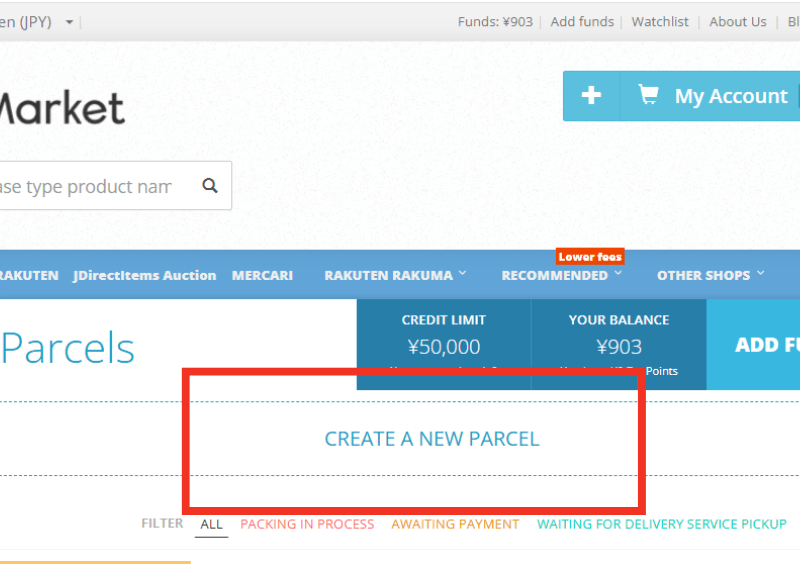
Go to your account page and click “Create a new parcel.”
STEP 2
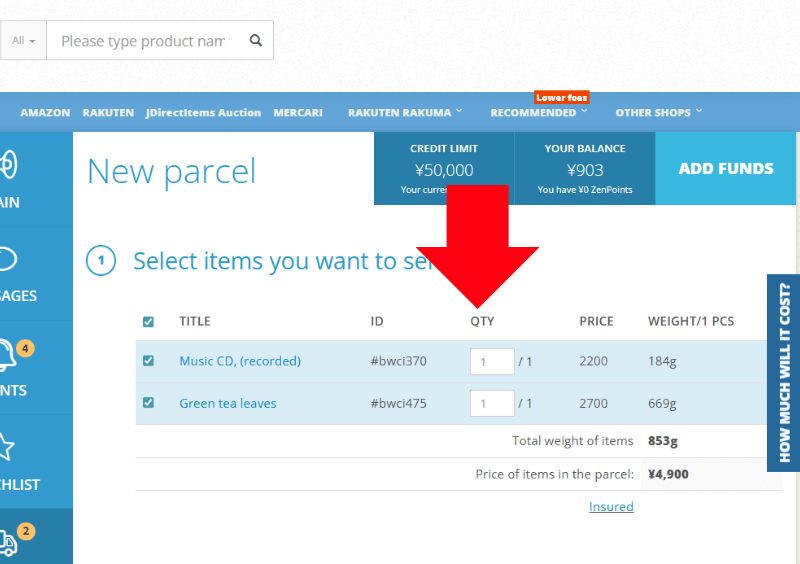
Choose the items you want to ship and fill in your delivery address in Taiwan as usual.
STEP 3
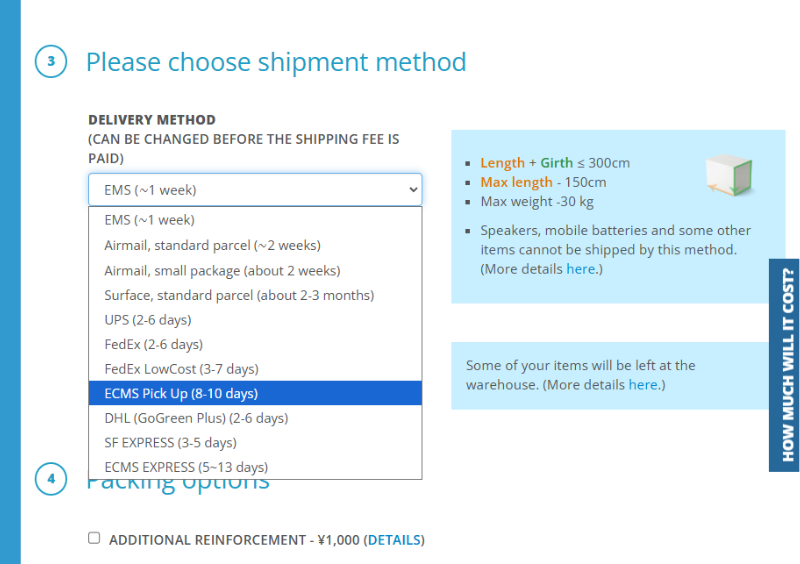
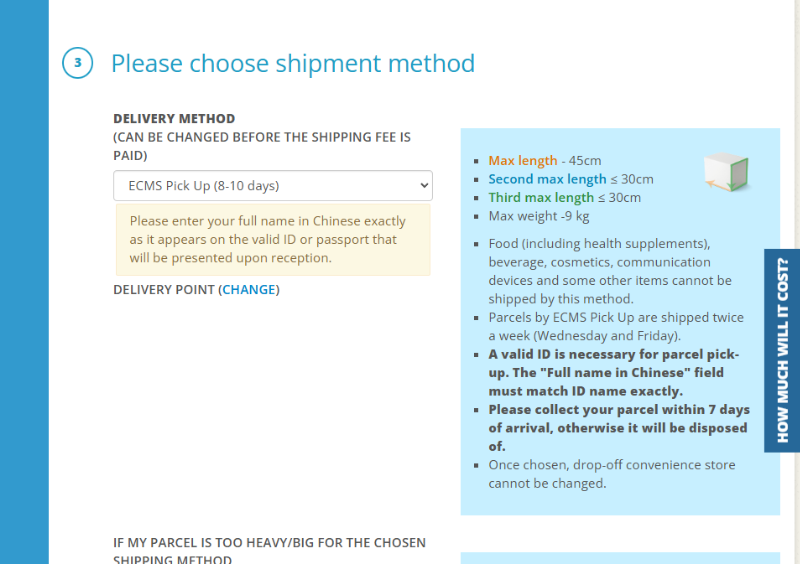
Under shipping methods, select “ECMS Pick-Up” (⚠ Do not select ECMS Express).
STEP 4
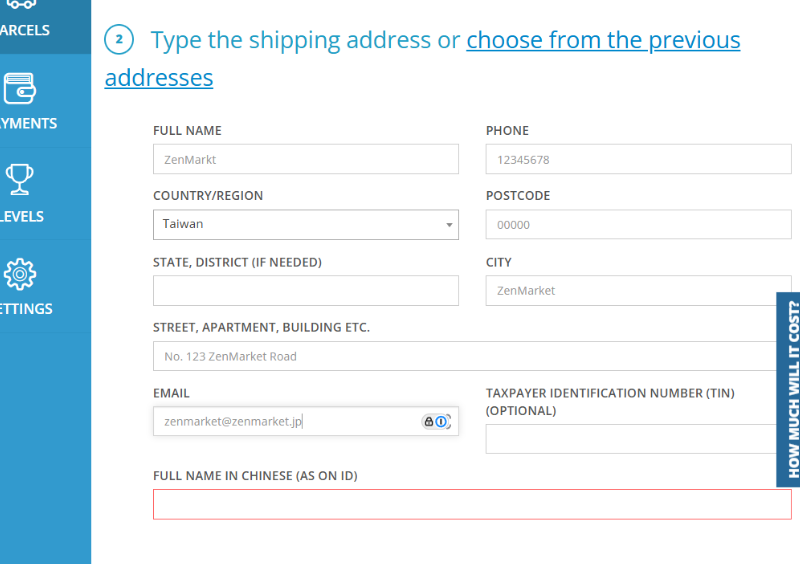
After selecting ECMS Pick-Up, the recipient information field in ② will display “Full Name in Chinese (As on ID).”
👉 Please enter your full Chinese name exactly as shown on your Taiwan ID or passport.
STEP 5
Below ECMS Pick-Up, you will see “Delivery Point (Change)”. Click “Change.”
STEP 6
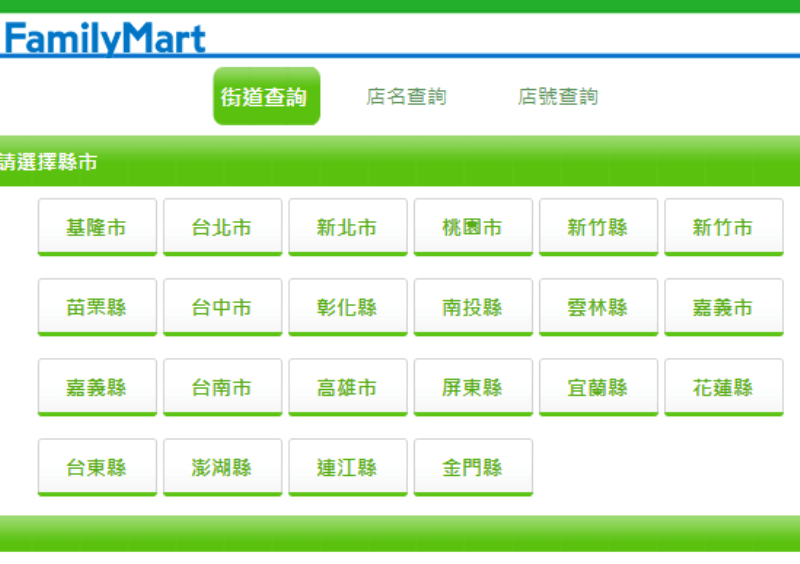
The system will open a map of FamilyMart stores in Taiwan.
Select the FamilyMart where you want to pick up your parcel.
STEP 7
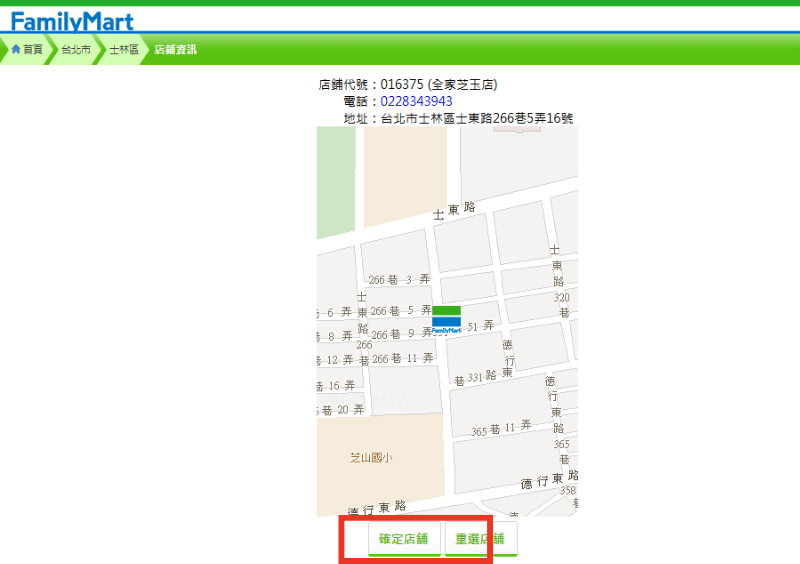
After choosing the store, click “Confirm Store.”
STEP 8
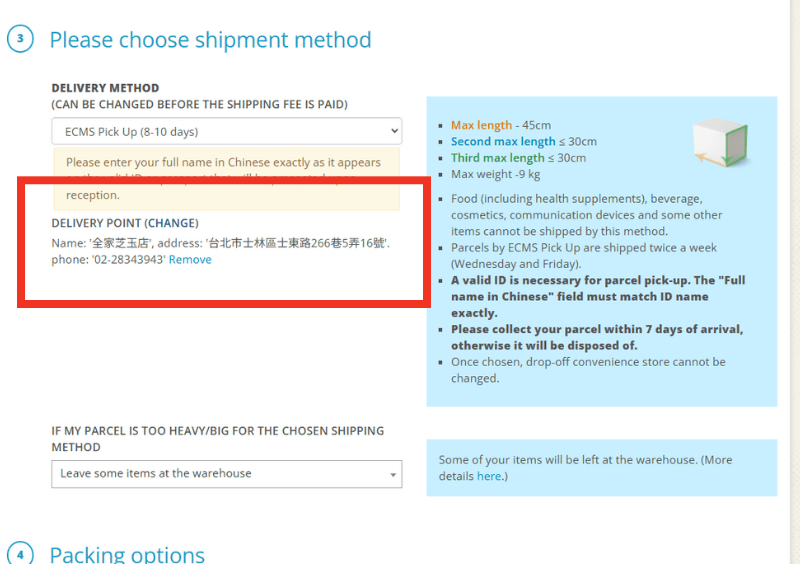
Double-check that the store name is correct.
STEP 9
Review the Packing options, then complete the parcel creation process ✅
🚫 Prohibited Items (Taiwan Service)
This service cannot be used for:
-
Food & beverages
-
Cosmetics and medicines
-
Valuables (jewelry, gemstones, etc.)
-
Sunscreen, deodorant, whitening toothpaste
-
Items containing lithium batteries (temporary restriction)
🔑 Important Notes (Taiwan)
-
Once selected, the FamilyMart location cannot be changed.
-
Valid ID (Taiwan ID or passport) must be presented.
-
Recipient’s name must exactly match the ID (Chinese or English).
-
SMS notification will be sent to your Taiwan mobile number when the package arrives.
-
Must be collected within 7 days of arrival (reminder SMS on day 4).
🚚 Collection Schedule (Taiwan)
Parcels are consolidated in Japan and shipped to Taiwan every Tuesday, Wednesday, and Friday.
🎉 Summary
ECMS Pick-Up (Taiwan) makes shopping from Japan easier than ever—simply collect your packages at FamilyMart across Taiwan. No more missed deliveries, just smooth, safe, and flexible pick-up!
From everyday goods to limited-edition Japanese items, your favorites will reach you in Taiwan quickly and securely.
✨ Don’t miss out—be among the first in Taiwan to try this new service!